TREAT - Workload
Workload: Lead and Not-Lead
Overview
The Lead and Not Lead options are used to identify a staff member’s role when multiple workers participate in the same session.
The primary facilitator should update attendance, select Save and Link a Note, document the session note, and append their workload to the note. In their workload entry, the Not Lead option should remain unchecked to indicate they were the lead staff member for the session.
Additional staff who participated in the session can record their time by appending a workload entry directly from the appointment without creating a note. These staff members should select the Not Lead option in their workload entry to indicate they were not the primary lead for the group session.
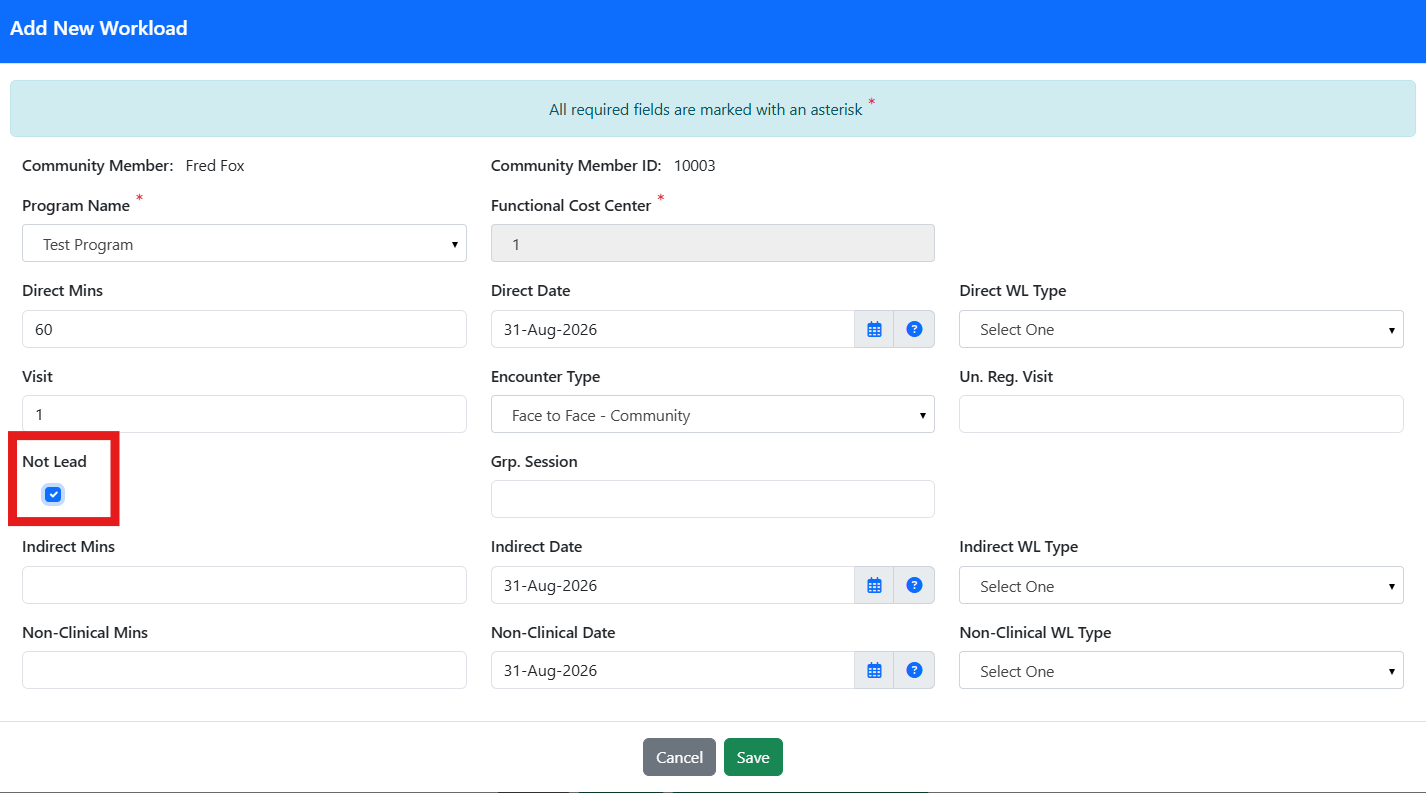
Why the checkbox matters: If the checkbox is not selected, TREAT will count this as two different groups when it is only one group!
Group Workload: Lead and Not-Lead - User Instructions | Author: Michael Marchese | 2026-07-17
Was this article helpful?
That’s Great!
Thank you for your feedback
Sorry! We couldn't be helpful
Thank you for your feedback
Feedback sent
We appreciate your effort and will try to fix the article