TREAT - Workload
Understanding Workload
Overview
Workload records the time you spend on client care and related activities. It can be documented from a progress note or directly from an appointment, depending on your workflow.
Workload feeds statistical and MIS reporting, so entering it consistently matters.
Auto-populated Fields
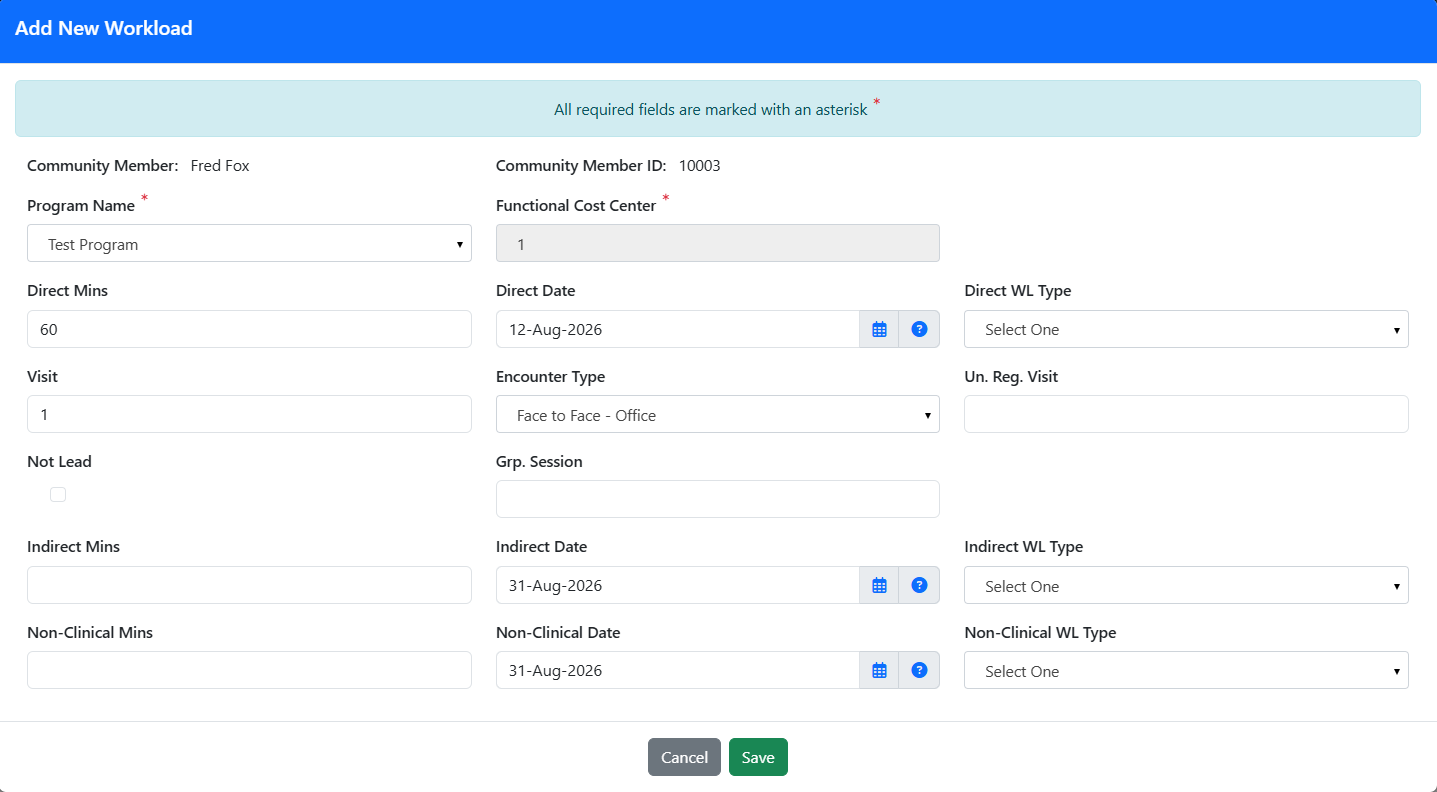
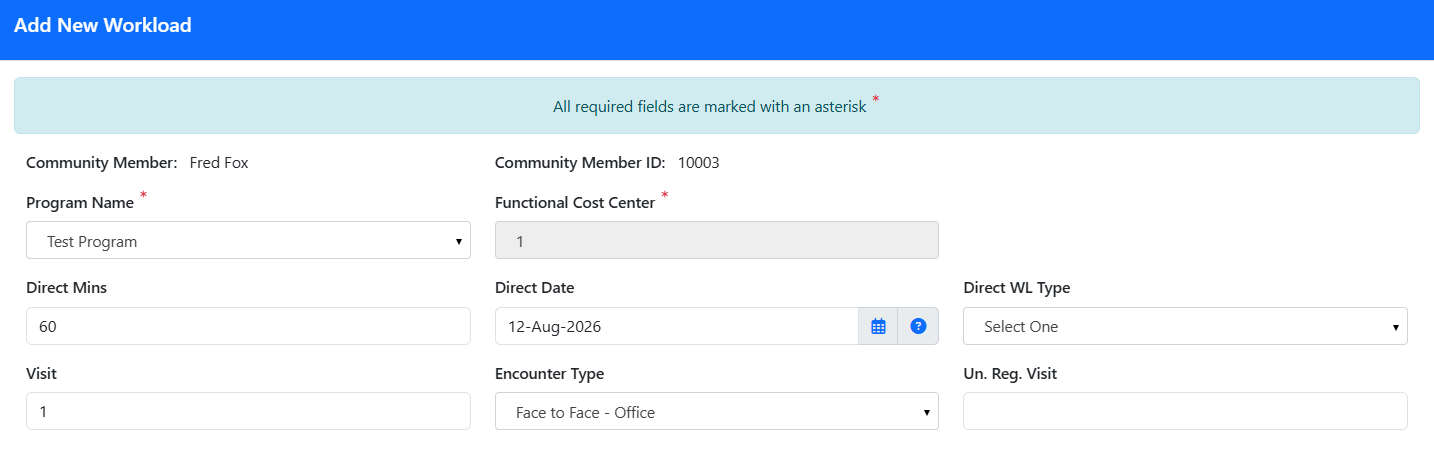
When workload is created from a note or calendar event, these fields should be auto-populated: Program Name, Functional Cost Centre, Site (if applicable), Direct Minutes, Direct Date, Visit Count, and Encounter Type.
FIELD REFERENCE
| Field | What it captures |
|---|---|
| Visit | The Number of Visits field captures the number of interactions included in the workload entry being recorded. In most cases, this value is 1, representing a single client interaction. For non-client-related workload activities, the value should be null/empty. If multiple interactions are documented within the same workload entry, enter the total number of interactions. For example, if a workload entry includes a client session, a hallway discussion, and a follow-up phone call, the Number of Visits would be recorded as 3. However, in this scenario you can enter 3 separate workload entries for accurate reporting. |
| Encounter Type | The interaction type; matches the Appointment screen when auto-populated. |
| Unregistered Patient | The number of unregistered clients seen in the interaction. |
| Not Lead | Selected when this is a group session and you were not leading it. |
| Group Session | This field is only applicable to Group Session. The Number of Group Sessions field captures the number of group interactions included in the workload entry being recorded. In most cases, this value is 1, representing a single group interaction. If multiple group interactions are documented within the same workload entry, enter the total number of group sessions. For example, if a workload entry includes a group coffee session and a follow-up hallway discussion, the Number of Group Sessions would be recorded as 2. However, in this scenario you can enter 2 separate workload entries for accurate reporting. |
DIRECT WORKLOAD
Direct workload is time spent with the client, such as in person, virtual, or email interactions. For MIS reporting it is broken down further:
- Face to Face - time with the client in office, home, or community.
- Non-face to Face - phone or email/text.
- Virtual - when the encounter type is virtual.
INDIRECT WORKLOAD
Indirect workload is time spent on behalf of a client (or unregistered client) when the client is not present, such as a case conference with another clinician or making a referral. It is included in MIS submissions.
ADMINISTRATIVE (Non-clinical) WORKLOAD
Administrative workload, also called non-clinical workload, includes time in team meetings, reading mail, or preparing materials for a group or program. It is not included in MIS submissions.
Its fields work like the others: Non-Clinical Min for minutes, Non-Clinical Date (defaults to today), and Non-Clinical Type for the contact type.
Visit count. For non-client workload, change the Visit number to 0. If only administrative workload is being entered for a client, it should be documented in Workload Manage
WORKLOAD MANAGER
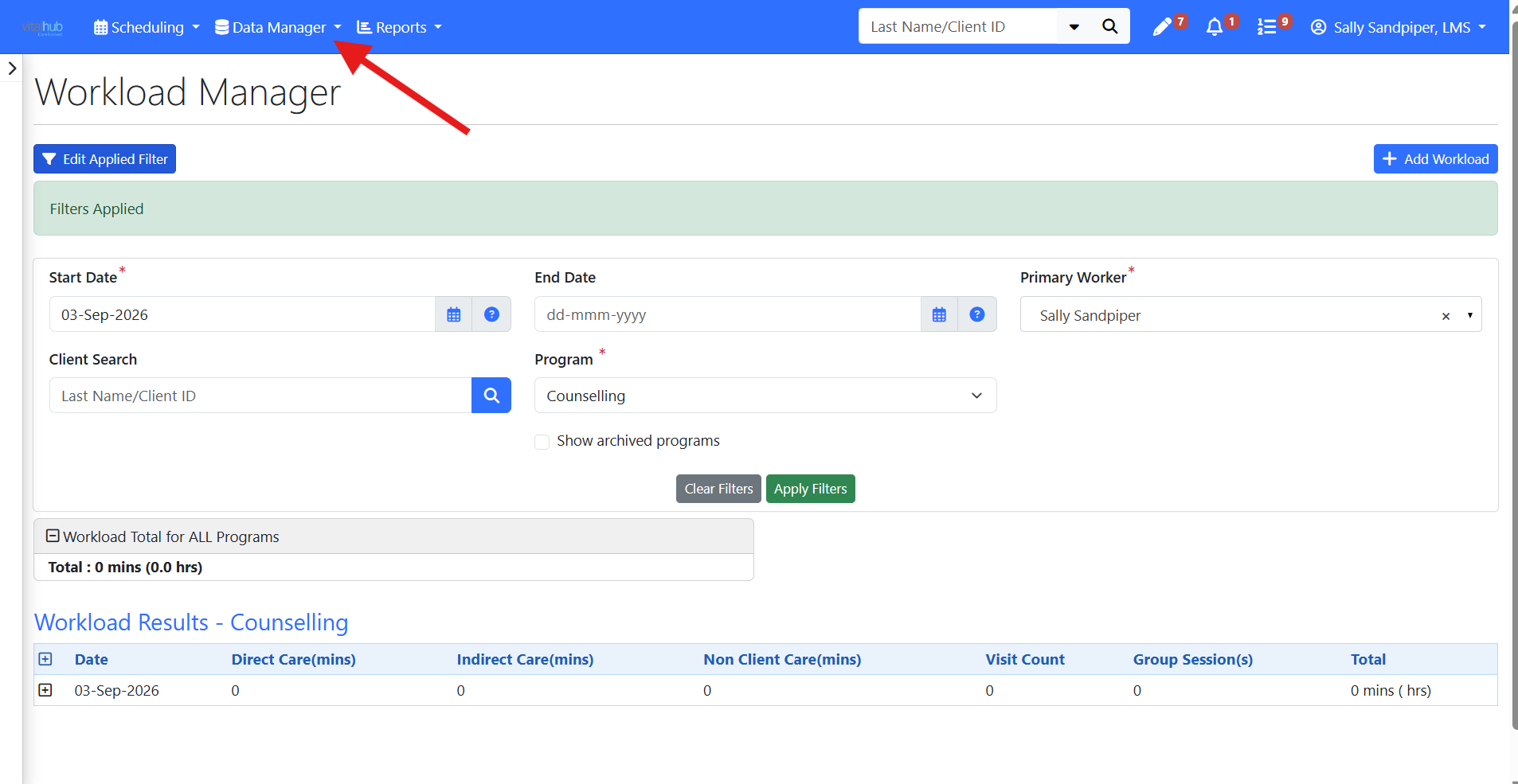
Workload Management provides a central location to review, manage, and update workload entries across clients and services. Use it to view recorded workload, make corrections when needed, and ensure documentation is complete and accurate. Because workload data feeds statistical and MIS reporting, regularly reviewing workload entries helps support accurate service tracking, reporting, and organizational plan.
Training Video
Understanding Workload - User Instructions | Author: Michael Marchese | 2026-07-17
Was this article helpful?
That’s Great!
Thank you for your feedback
Sorry! We couldn't be helpful
Thank you for your feedback
Feedback sent
We appreciate your effort and will try to fix the article