TREAT - Assessments
Accessing and Creating an Assessment
What Is an Assessment?
An assessment is a collection of data points captured at a specific date and time. For example, it may be an organizational tool for collecting physical and mental health information, a standardized tool, and/or a consent form.
Assessments can connect to demographics, care planning, profile widgets, tasks and other clinical documentation.
Where to Find Assessments
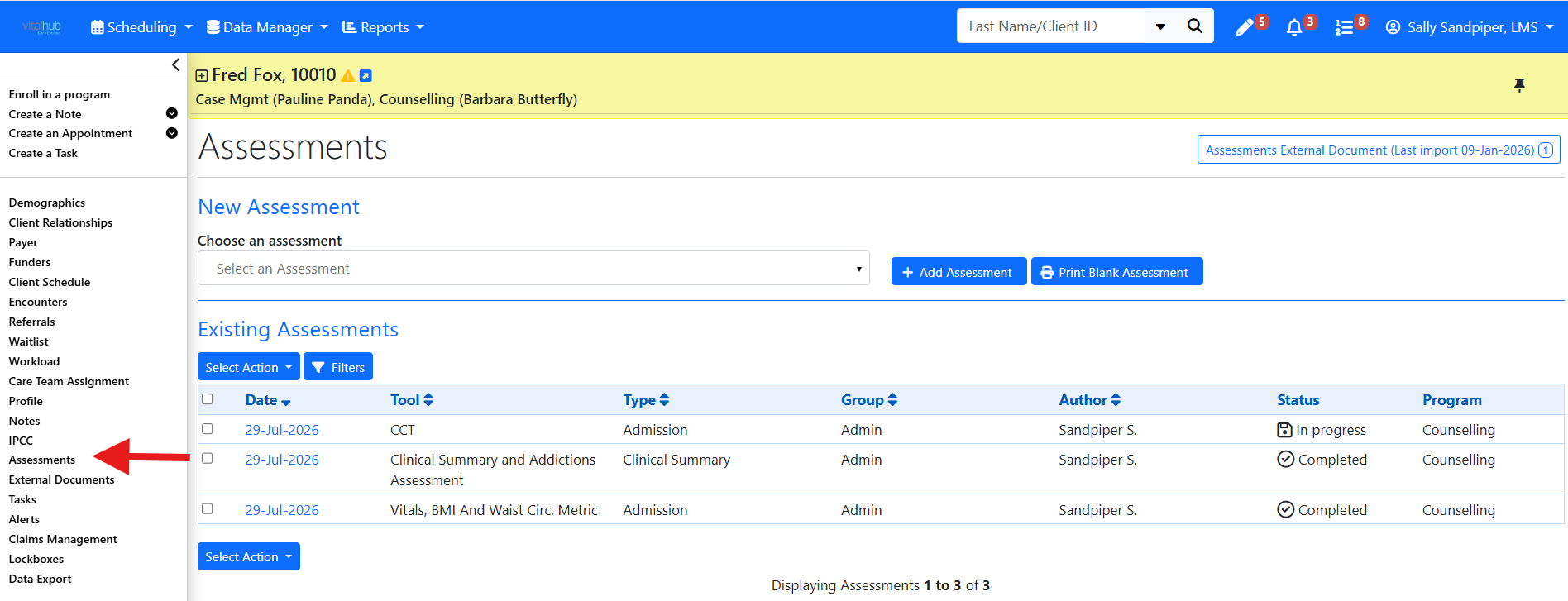
Assessments are accessed from the left navigation panel Client Menu for the client in context. Completed and in-progress assessments are listed on the main Assessments screen.
Opening and Adding an Assessment
- Select Assessments from the left navigation panel Client Menu for the client in context.
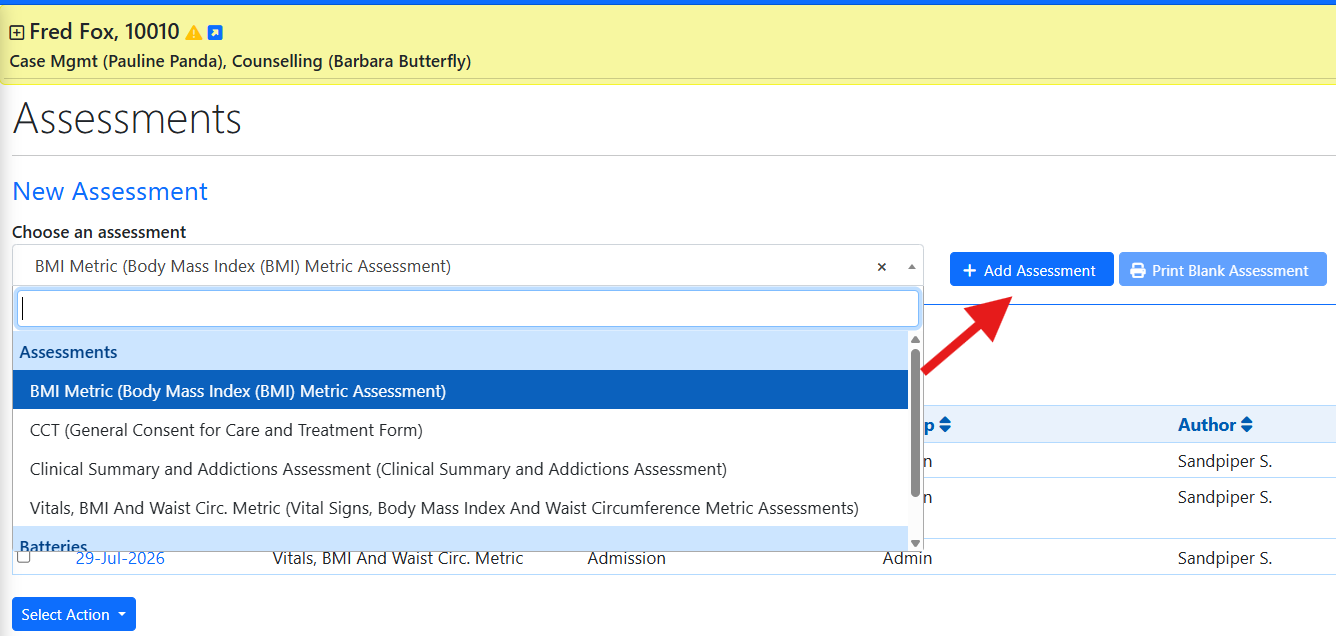
- On the main screen, select an assessment from the choose an assessment dropdown or click the blue date link to open an in-progress or completed assessment.
- Select ADD ASSESSMENT to display the assessment content.
The assessment list shows only the assessments that apply to the group you are assigned to.
The Pre-assessment Page
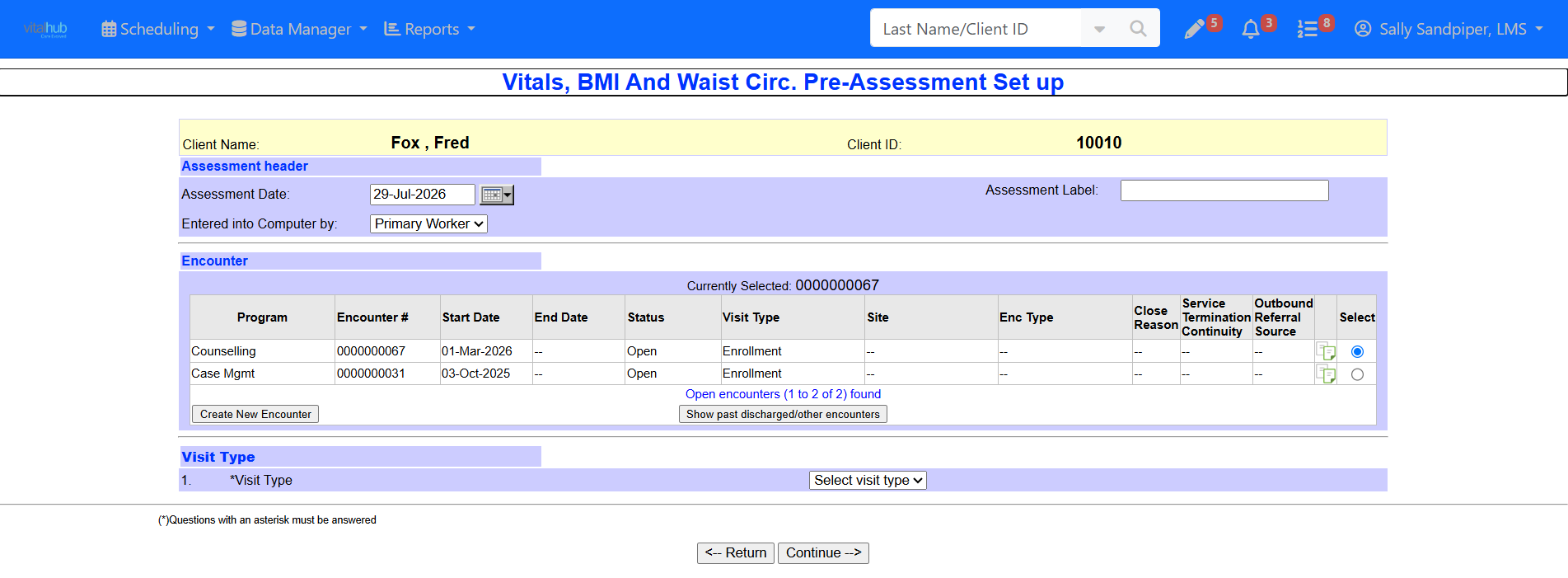
The first screen is the pre-assessment page. The Date is usually auto-populated to today. Select the associated encounter.
If the assessment has visit types (assessment types), select the applicable type. Visit types allow different questions or sections to appear on different versions of the same assessment, such as Admission, Readmission, or Discharge.
The Assessment Layout
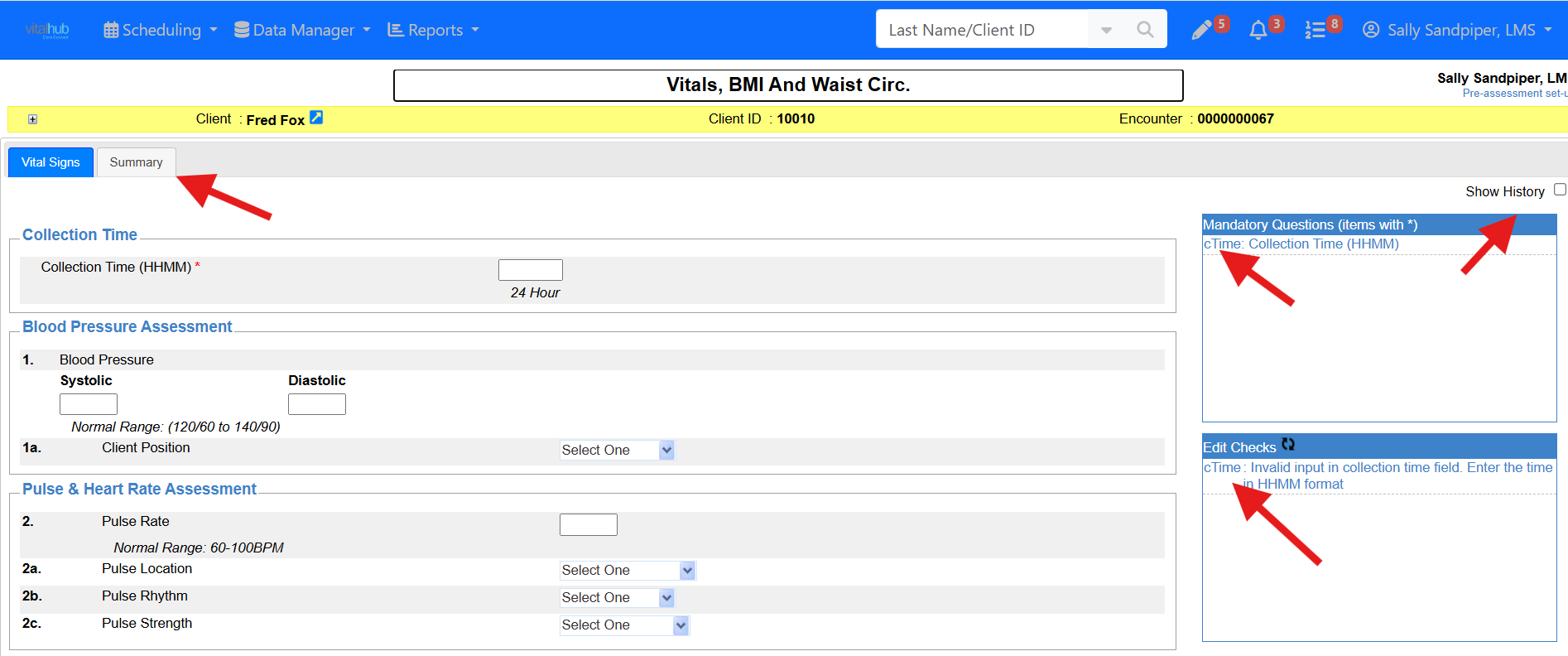
- Tabs appear across the top; the last tab is the Summary tab.
- Mandatory items and edit checks appear on the right side.
- The Show History checkbox at the top right turns on history for previously saved content.
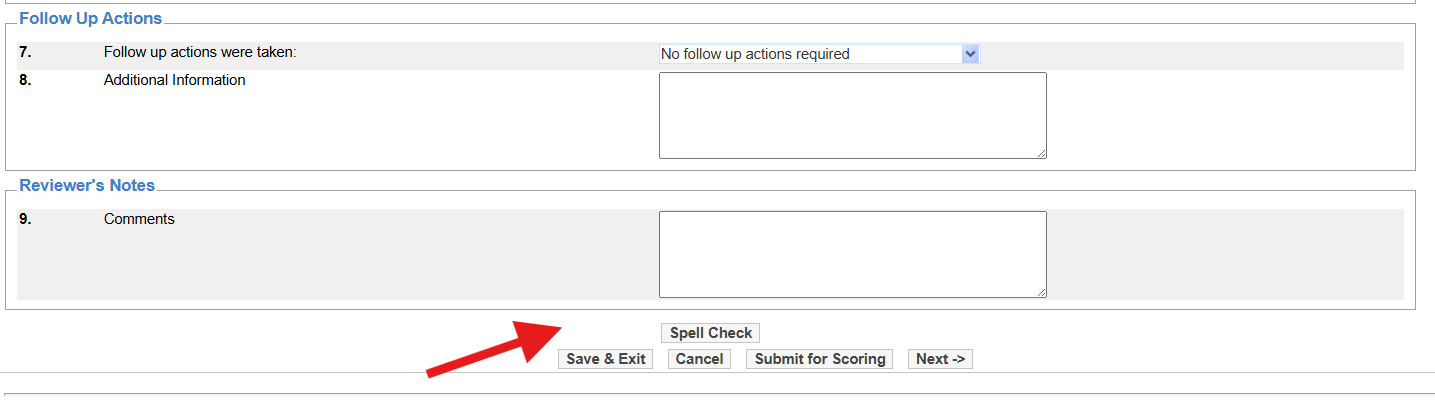
- Buttons are at the bottom, and available actions may depend on status and permissions.
Printing a Blank Assessment
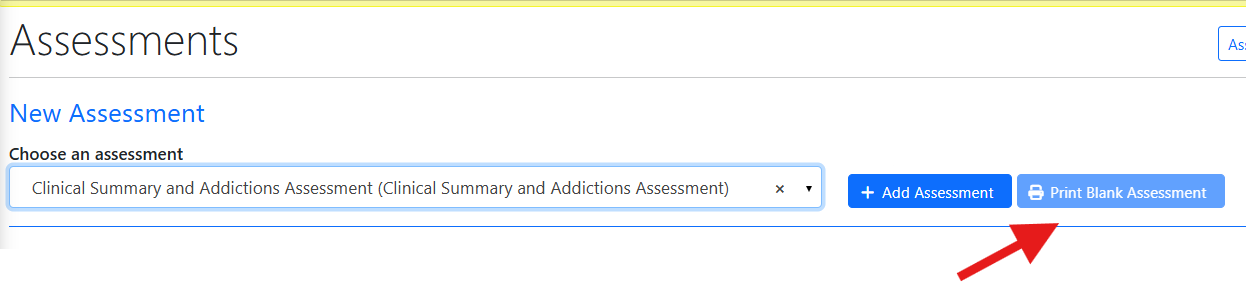
The PRINT BLANK ASSESSMENT button is optional and prints a blank PDF of the assessment. The PDF must be supplied by your organization if this is a required functionality and contains no client information.
Training Video
Accessing and Creating an Assessment - User Instructions | Author: Michael Marchese | 2026-07-17
Was this article helpful?
That’s Great!
Thank you for your feedback
Sorry! We couldn't be helpful
Thank you for your feedback
Feedback sent
We appreciate your effort and will try to fix the article