TREAT - Care Team Assignments
Care Team Assignments
What Are Care Team Assignments?
Care Team Assignments identify the staff members responsible for supporting a client throughout their service journey.
Each worker should belong to at least one Care Team Role, which defines their relationship to the client's care and service delivery.
Care Team Assignments and Program Enrollment
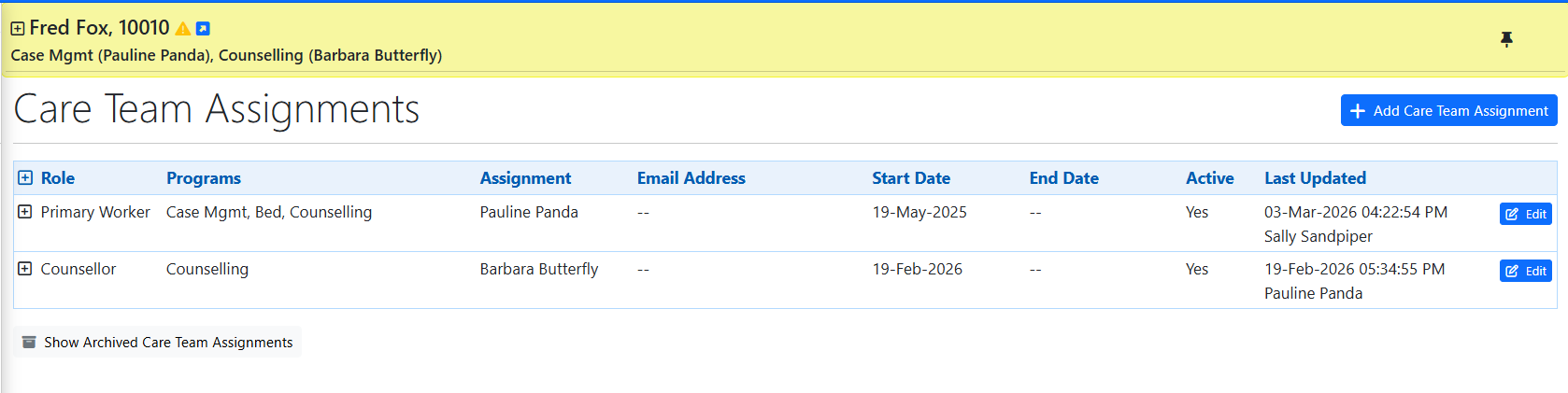
Care Team Assignments are closely connected to program enrollments. When a Primary Worker is selected during enrollment, TREAT can automatically creates the corresponding Care Team Assignment, reducing duplicate data entry and keeping the client record consistent.
The Primary Worker's name is displayed in the yellow client information bar.
In TREAT Admin, care team roles are defined by the organization. A worker must be assigned to one or more care team roles before they can be selected in the Care Team Assignment module.
Opening Care Team Assignments
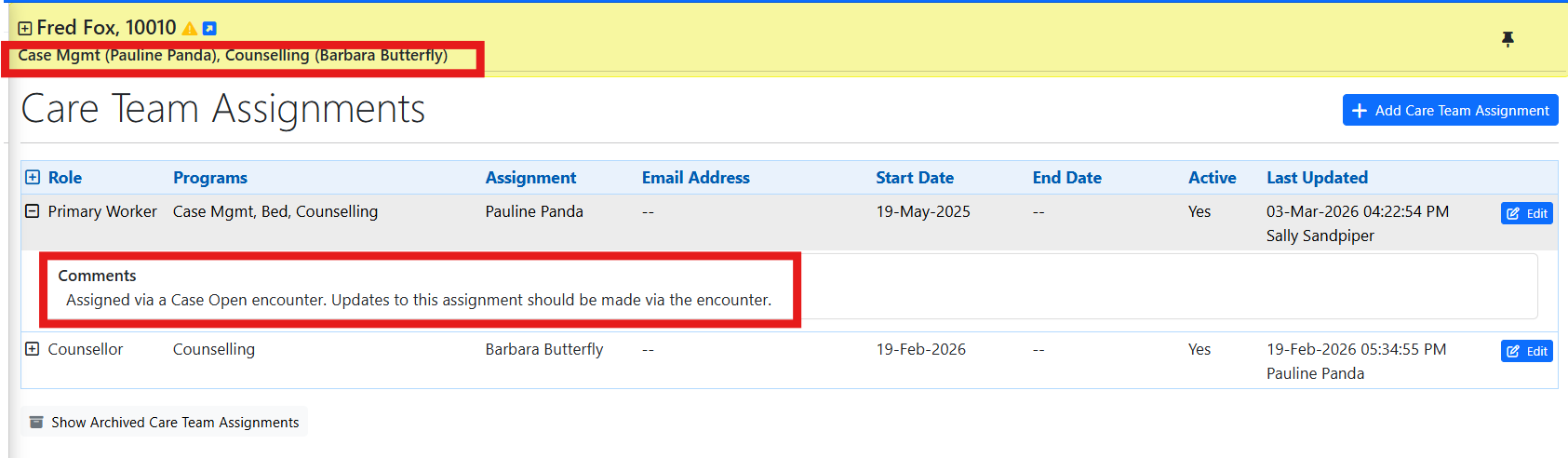
With the client selected, open Care Team Assignments from the left navigation panel.
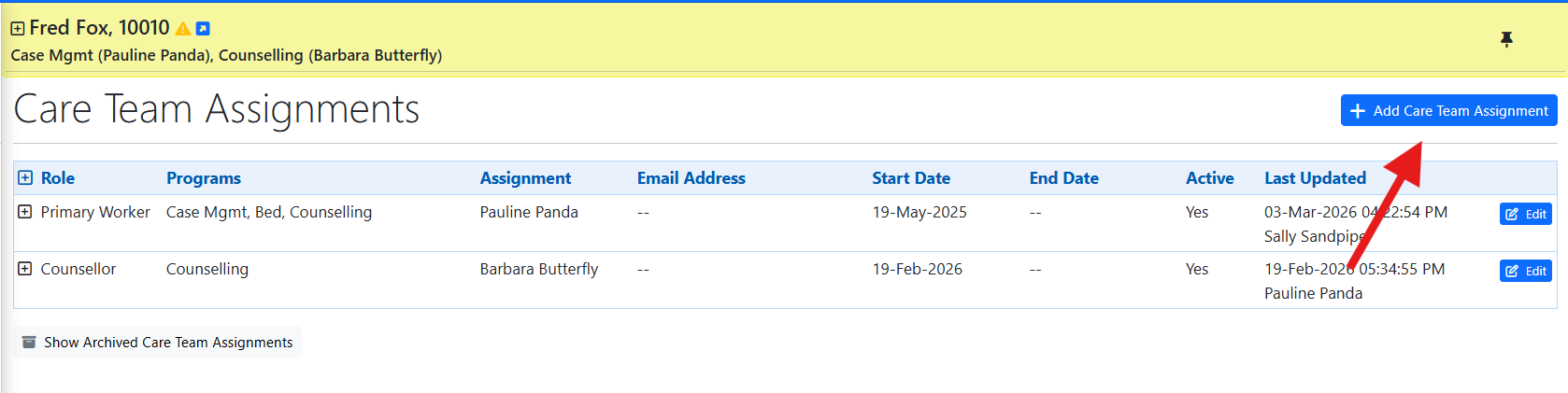
The screen displays the client's existing and historical assignments. To create another assignment, select ADD CARE TEAM ASSIGNMENT.
Adding the Assignment
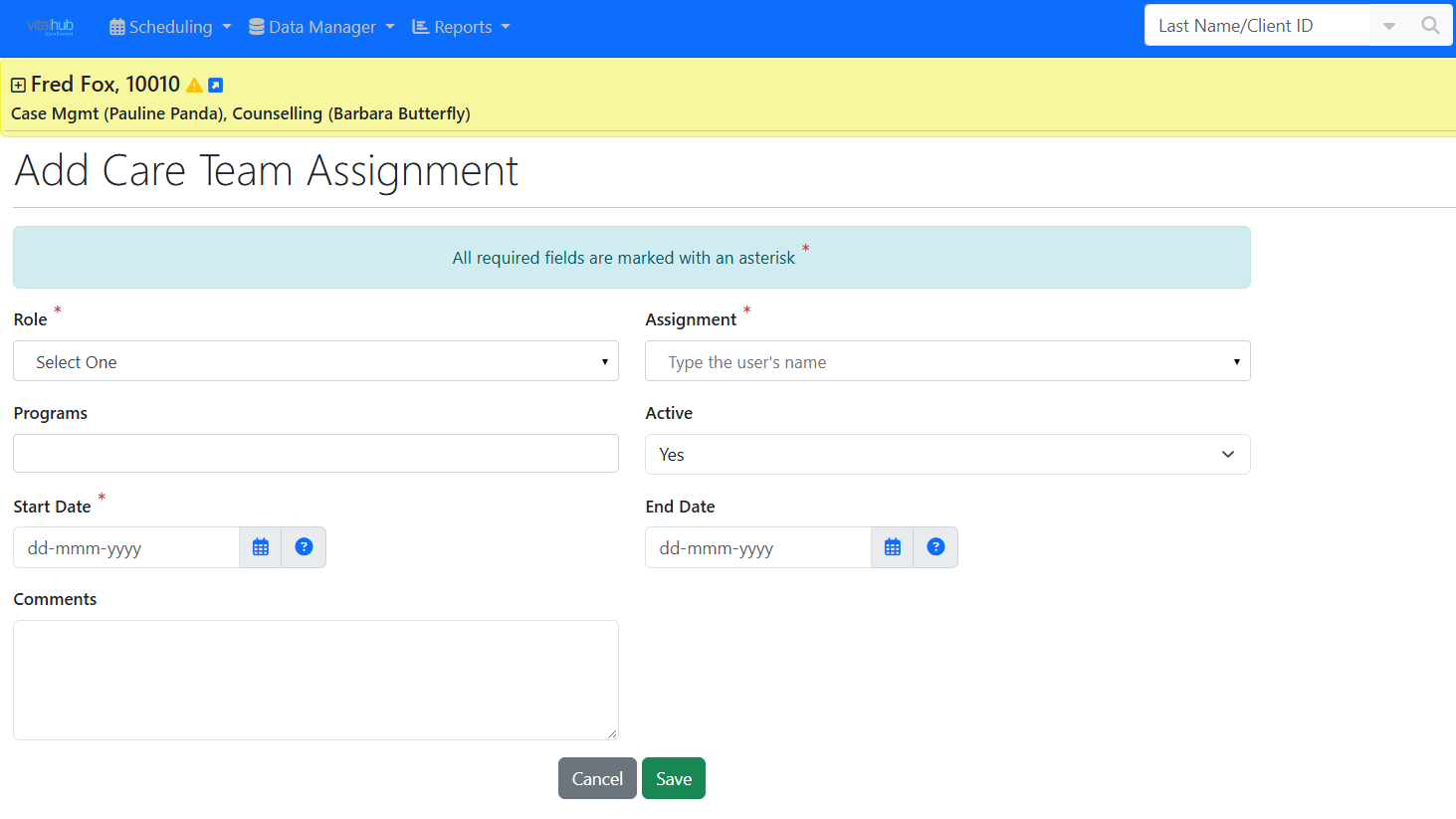
- Select the care team role. Care team roles are defined by the organization in TREAT Admin.
- Select the worker using the incremental search. The available workers are based on the selected role and the roles configured in their user accounts.
- Enter the start date. Active defaults to Yes.
- The Program field is optional - the assignment can apply to a selected program, all programs, or have no program restriction.
- Enter comments if required, then select SAVE to create the care team assignment.
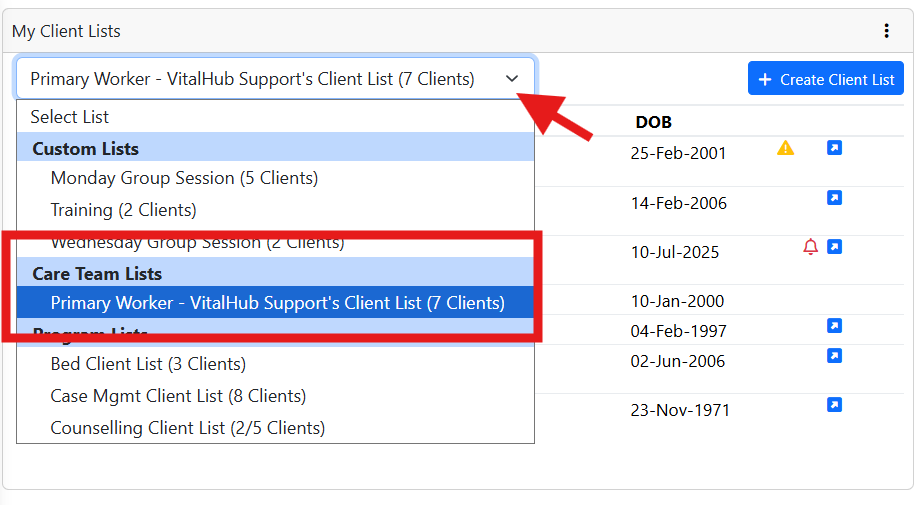
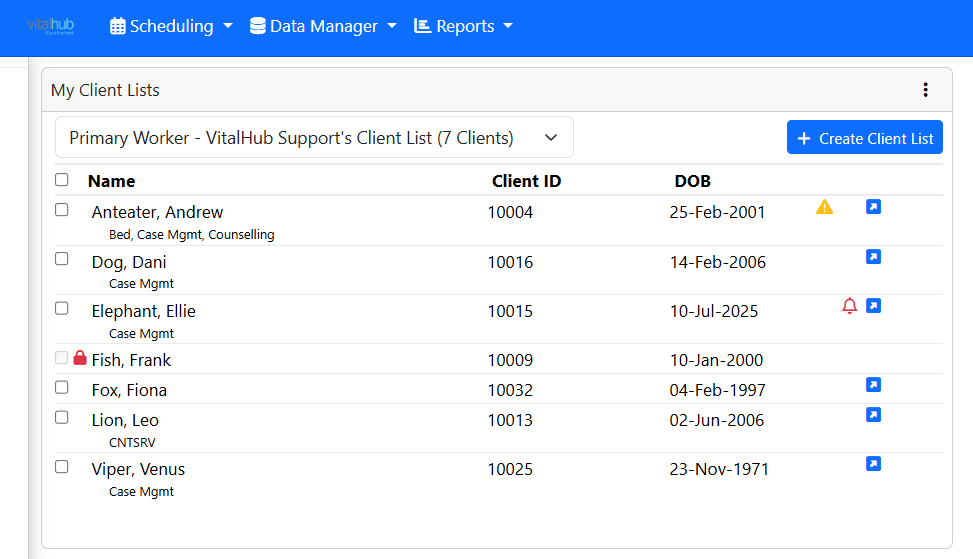
The Care Team List (Homepage)
On the Homepage, the Care Team List displays clients for whom the logged-in worker is part of the care team, providing quick access to their active caseload.
Training Video
Understanding Care Team Assignments - User Instructions | Author: Michael Marchese | 2026-09-18
Was this article helpful?
That’s Great!
Thank you for your feedback
Sorry! We couldn't be helpful
Thank you for your feedback
Feedback sent
We appreciate your effort and will try to fix the article