TREAT - Care Team Assignments
Editing and Archiving a Care Team Assignment
Overview
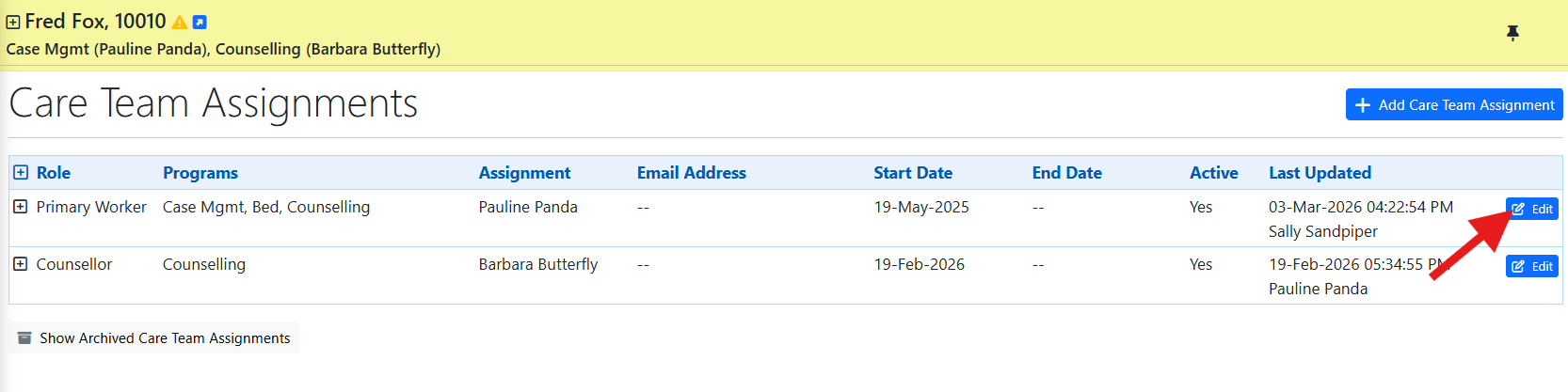
Existing care team assignments can be edited, and additional care team members can be added to support collaborative service delivery, temporary coverage, or multidisciplinary care.
archiving an Assignment
When a worker is no longer working with the client, edit the assignment and change Active to No.
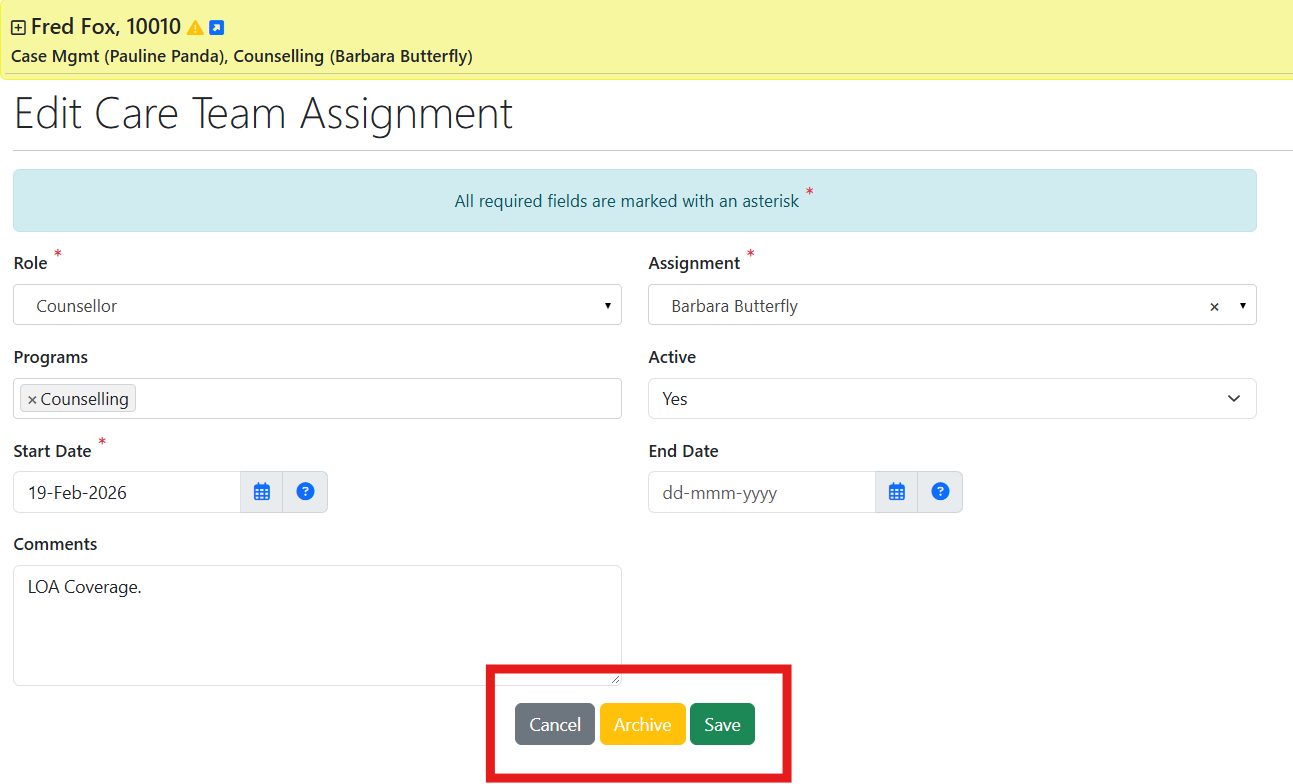
Leave an inactive assignment set to Active = No. It is important to set an inactive assignment set to Active = No. This is because leaving it set to Active = Yes may affect tasks, alerts, and reporting.
Archiving an Assignment continued
Enter an end date, then select ARCHIVE.
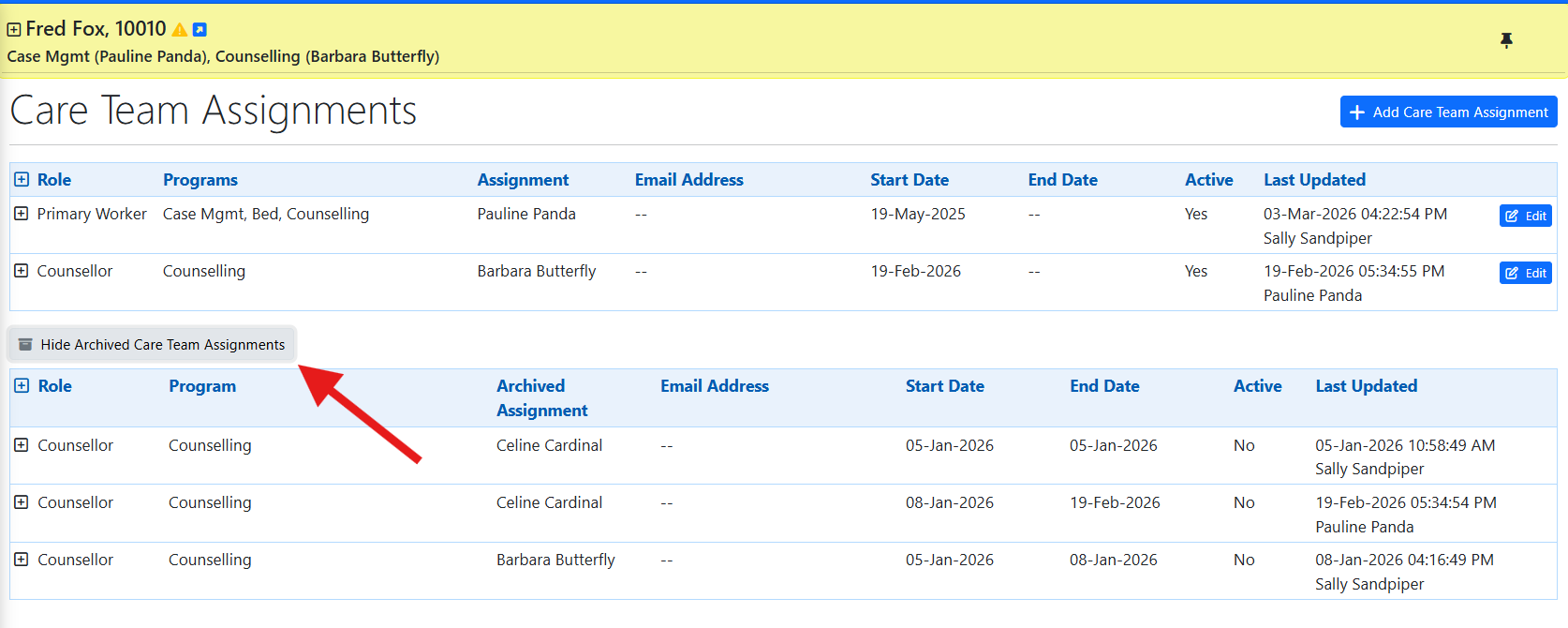
Archived Care Team Assignments remain available to view as part of the client's assignment history.
Training Video
Editing, Deactivating, and Archiving a Care Team Assignment - User Instructions | Author: Michael Marchese | 2026-09-18
Was this article helpful?
That’s Great!
Thank you for your feedback
Sorry! We couldn't be helpful
Thank you for your feedback
Feedback sent
We appreciate your effort and will try to fix the article