TREAT - Notifications
Alerts and Tasks: What Is the Difference?
Overview
Notifications help you keep track of what you need to be aware of and what you need to complete.
There are two kinds you interact with: alerts and tasks.
This article explains the difference and links to the articles that cover each in detail.
HOW ALERTS WORK
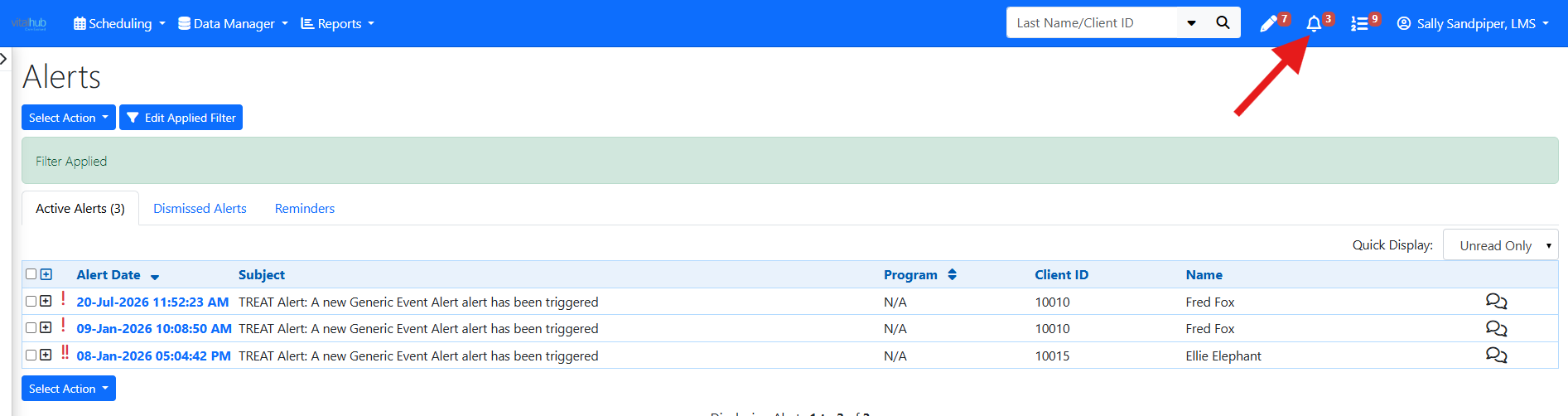
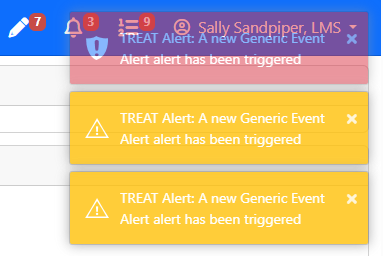
Alerts (bell icon) are FYI items personal to you. When you log in, alerts display momentarily at the top right of the screen - yellow for a medium alert and red for a high alert.
By default only unread alerts are shown. You can change the view to see all alerts. Expand an alert to read its message, and click its link to go to where it is to be completed.
HOW TASKS WORK
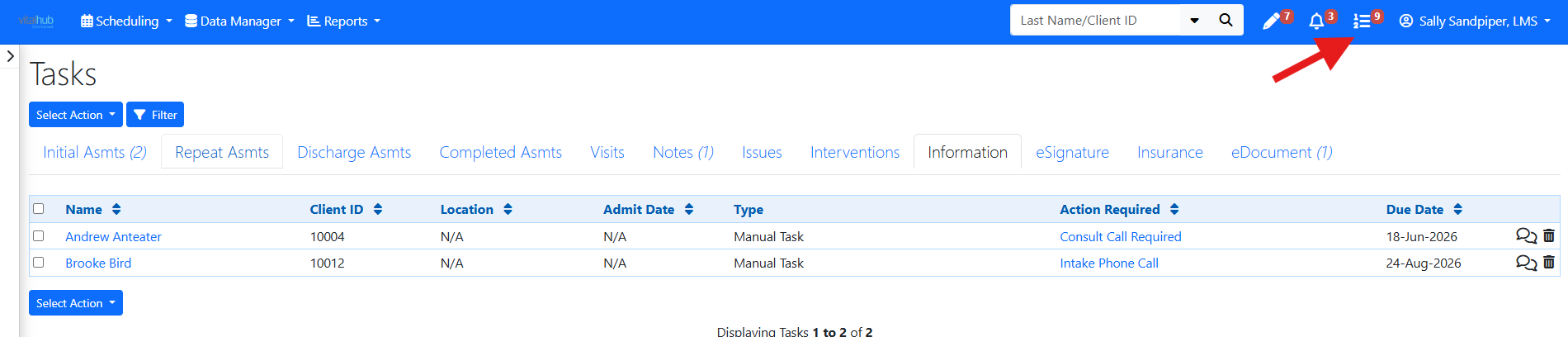
Tasks (list icon) are "to do" work you need to do as part of the client workflow.
A task usually contains a link to where the action is completed. For example, a progress note or assessment.
Alerts vs Tasks
| Alerts | Tasks | |
|---|---|---|
| Purpose | Items you should be aware of (FYI). | Work you need to do as part of the client workflow. |
| Ownership | Personal to you. | Not personal; can be assigned to a you, workers, or care team roles. |
| When completed | You dismiss or action them individually. | Completing a group task removes it from everyone's list in that group. |
SOME EXAMPLES OF STANDARD ALERTS
- A task has been assigned to you
- A Care Team Assignment is new or has been archived
- A scheduling change has occurred
- A recurring appointment set has ended
SOME EXAMPLES OF STANDARD TASKS
- Complete an Intake Assessment.
- Document a Discharge Summary
- Upload a document
New to notifications? For a quick primer on the three inbox icons in the blue Navigation Menu, see the Navigation Basics article Notifications, Alerts, and Tasks.
TREAT ADMINISTRATION
Tasks and Alerts are managed in TREAT Administration, where organizations configure user permissions and assignment options. This ensures reminders, notifications, and client-related work are directed to the appropriate staff members and aligned with organizational workflows.
Training Video
Alerts and Tasks: What Is the Difference? - User Instructions | Author: Michael Marchese | 2026-07-17
Was this article helpful?
That’s Great!
Thank you for your feedback
Sorry! We couldn't be helpful
Thank you for your feedback
Feedback sent
We appreciate your effort and will try to fix the article