TREAT - Lockbox
Understanding Lockbox
What Is a Lockbox?
A lockbox creates customizable layers of privacy for a client and restricts worker access. It can lock down an entire file, or pieces of a file, so that specified workers cannot access it.
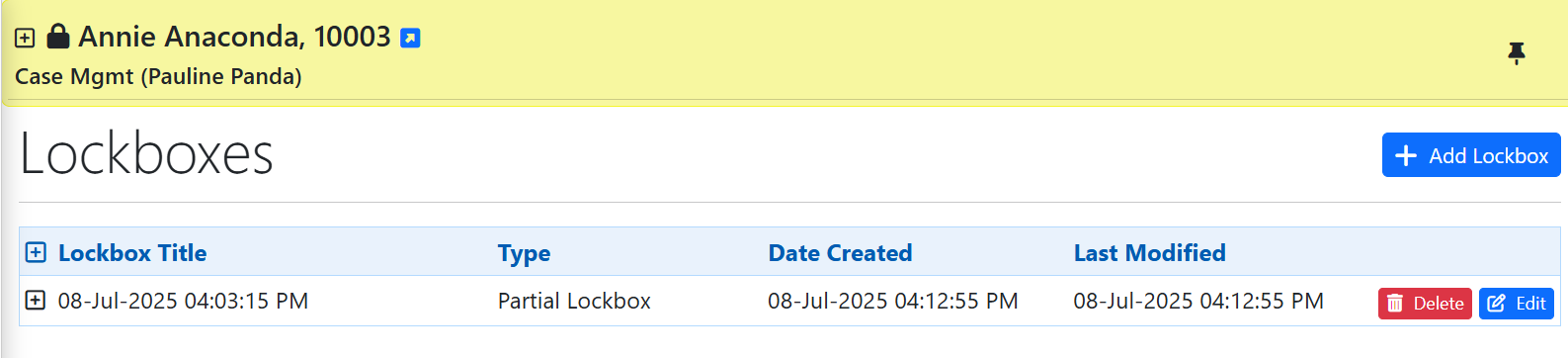
What the Lock Icons Mean
| Icon | Meaning |
|---|---|
| Red lock | You are restricted from viewing the material. |
| Black lock | A lockbox is applied, but you have permission to view the material. |
Clicking a lock tells you the type of lockbox and who it affects. When a partial lockbox is applied, locks also appear beside each locked item so you can see which areas are protected.
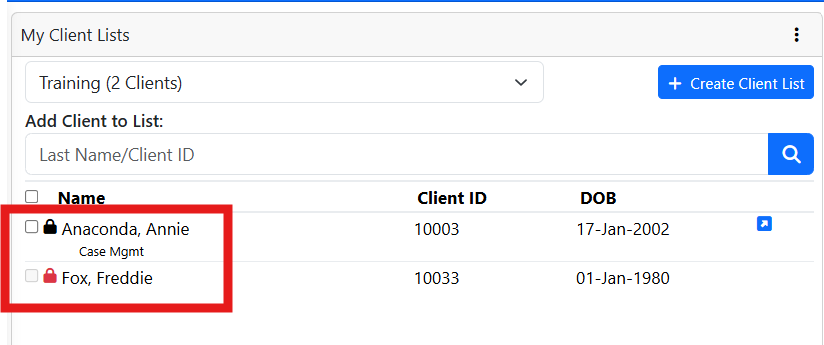
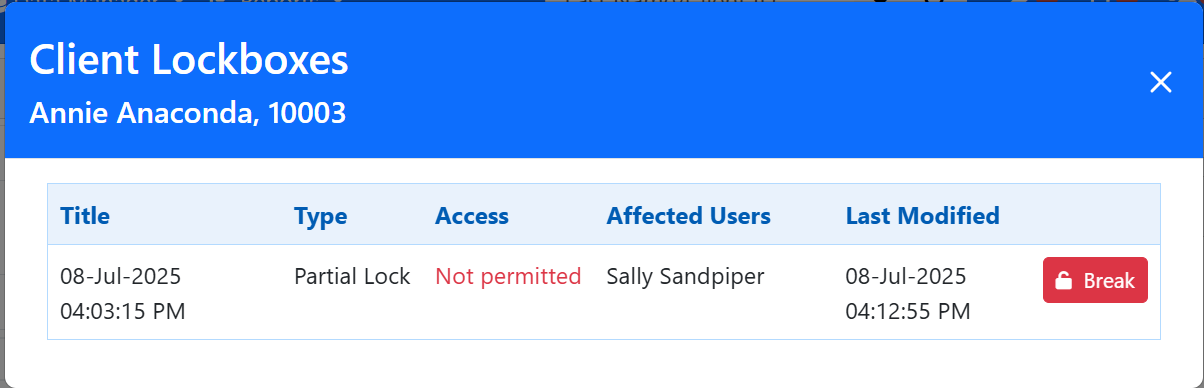
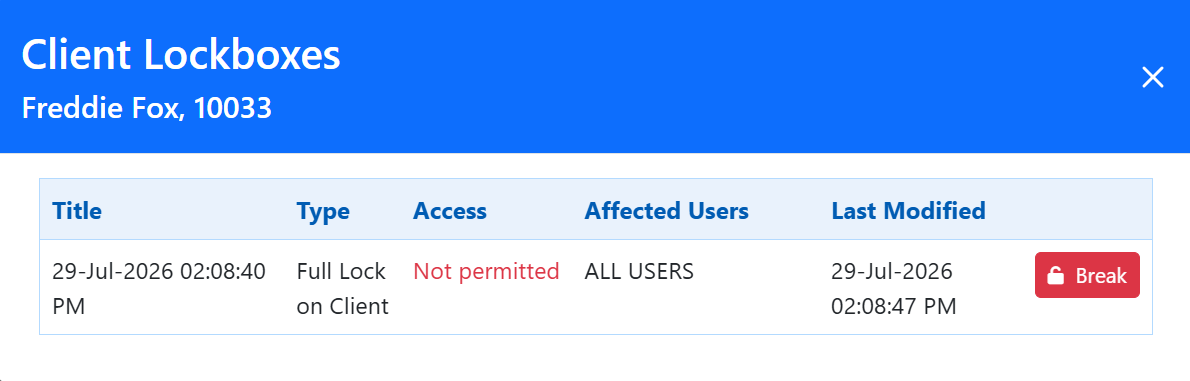
Black lock does not mean blocked. A black lock means a lockbox exists but does not apply to you, so you can still open the chart. Only a red lock blocks your access.
Training Video
Understanding Lockbox and Lock Icons - User Instructions | Author: Michael Marchese | 2026-07-17
Was this article helpful?
That’s Great!
Thank you for your feedback
Sorry! We couldn't be helpful
Thank you for your feedback
Feedback sent
We appreciate your effort and will try to fix the article