TREAT - Lockbox
Lockbox Reasons, Notifications, and Audit (TREAT Admin)
Overview
This article is for administrators. It covers the setup and monitoring that support lockbox privacy management. These should be reviewed as part of privacy governance planning.
Break Reasons
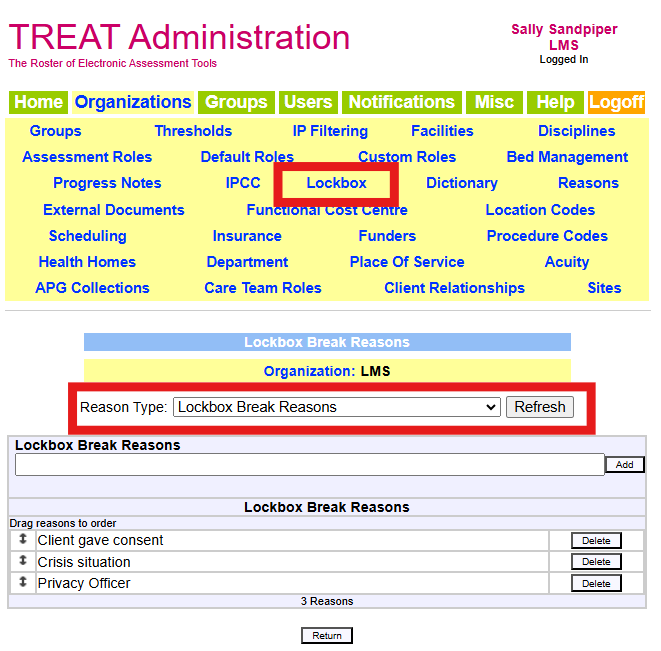
When a lockbox is broken, the worker must select a reason. Lockbox reasons are managed the same way as other reasons in TREAT and should be configured before go-live so workers have the correct options.
Breakage Notifications
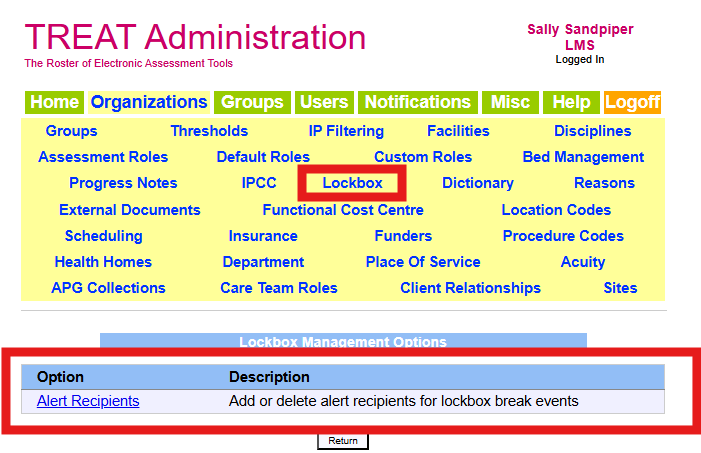
When a lockbox is broken, notifications are sent by email. Recipients are defined in TREAT Admin under Organizations > Lockbox > Alert Recipients and must have a TREAT user account with an email address.
The email content can be altered to include a link to the client's chart.

Lockbox Break Audit Report
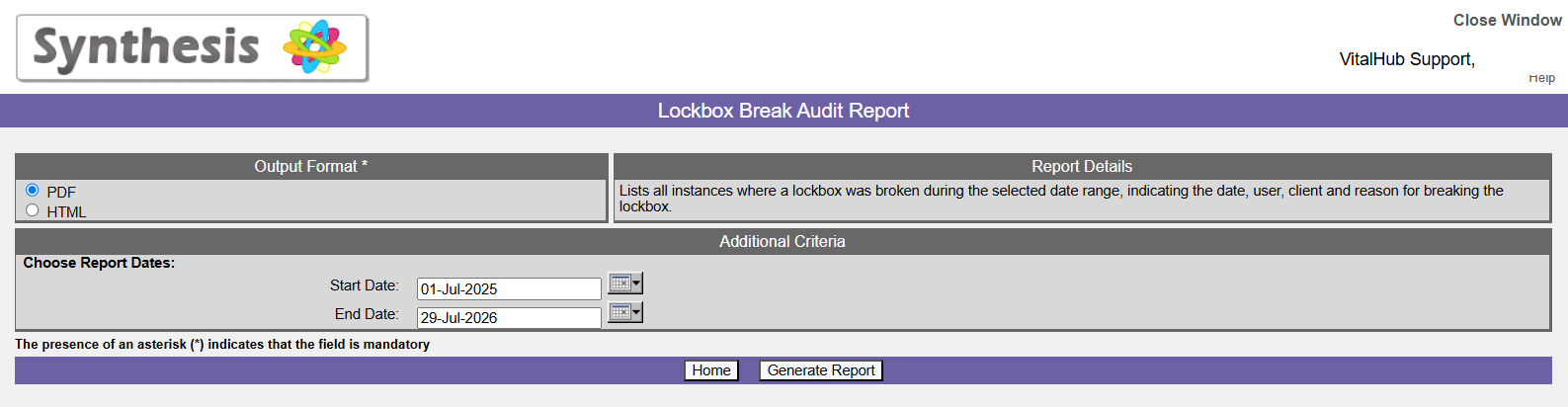
The Lockbox Break Audit Report lists every instance where a lockbox was broken during the selected date range, showing the date, worker, patient, and reason. It supports privacy review, follow-up, and auditing.
Lockbox Reasons, Notifications, and Audit (TREAT Admin) - User Instructions | Author: Michael Marchese | 2026-07-17
Was this article helpful?
That’s Great!
Thank you for your feedback
Sorry! We couldn't be helpful
Thank you for your feedback
Feedback sent
We appreciate your effort and will try to fix the article