TREAT - Progress Notes
Recovering an Auto-Saved Draft Note
Overview
As you document in TREAT, your work is automatically preserved if connectivity is interrupted. Once your connection is restored, you can retrieve your note and continue where you left off, helping ensure your documentation progress is maintained.
Retrieving a Draft
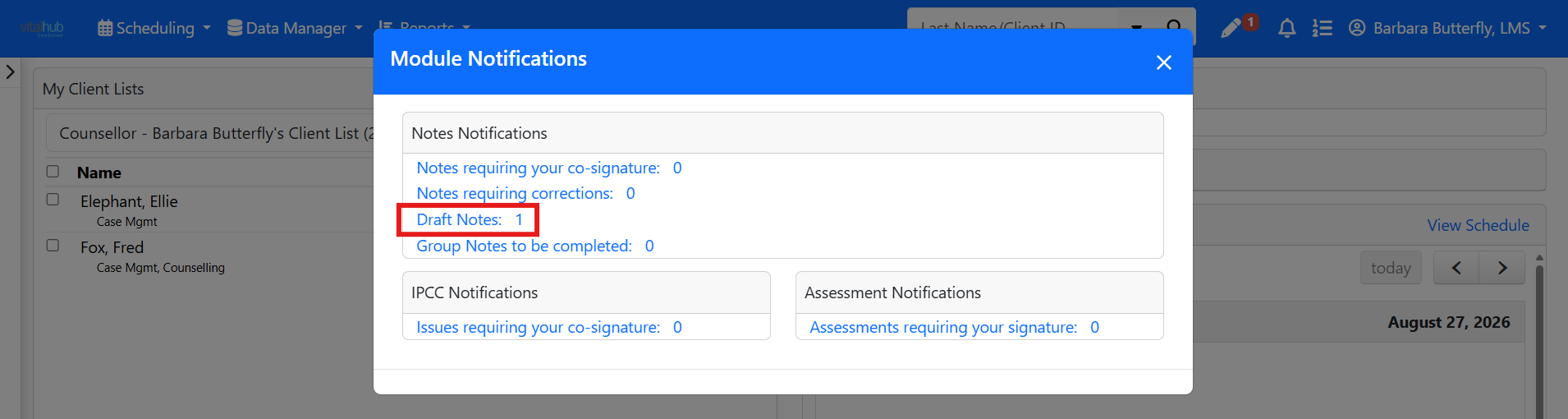
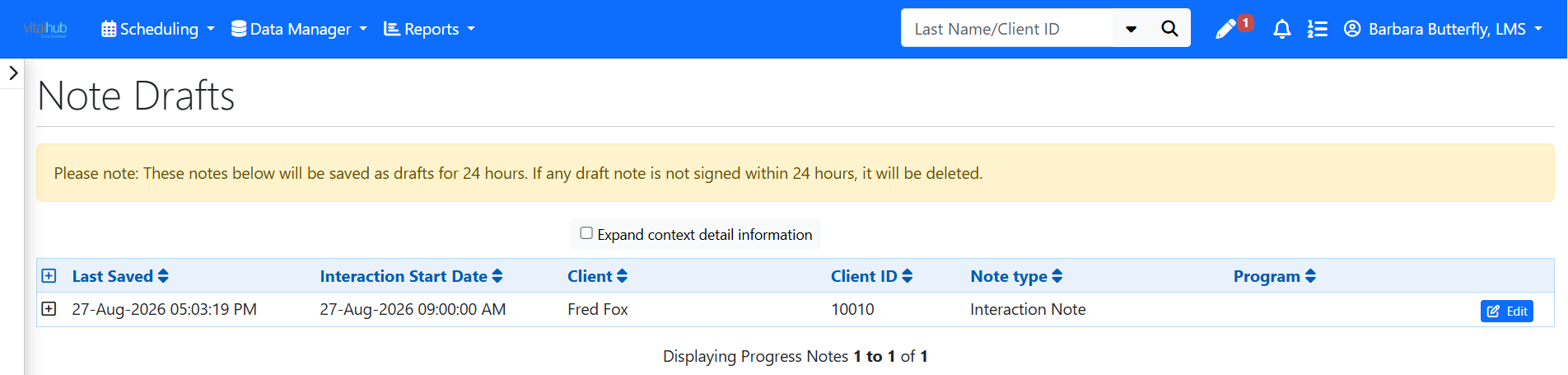
After you reconnect, the auto-saved draft can be retrieved from Notifications.
Group and Bulk Note Drafts
If you lose connectivity while typing a group or bulk note, a draft is automatically saved only for the first client, not for every client in the group. That draft is retrieved through Notifications in the same way.
Training Video
Recovering an Auto-Saved Draft Note - User Instructions | Author: Michael Marchese | 2026-07-17
Was this article helpful?
That’s Great!
Thank you for your feedback
Sorry! We couldn't be helpful
Thank you for your feedback
Feedback sent
We appreciate your effort and will try to fix the article