TREAT - Scheduling
Multi-View, Schedule List Manager, and Appointment Assignment
Multi-View
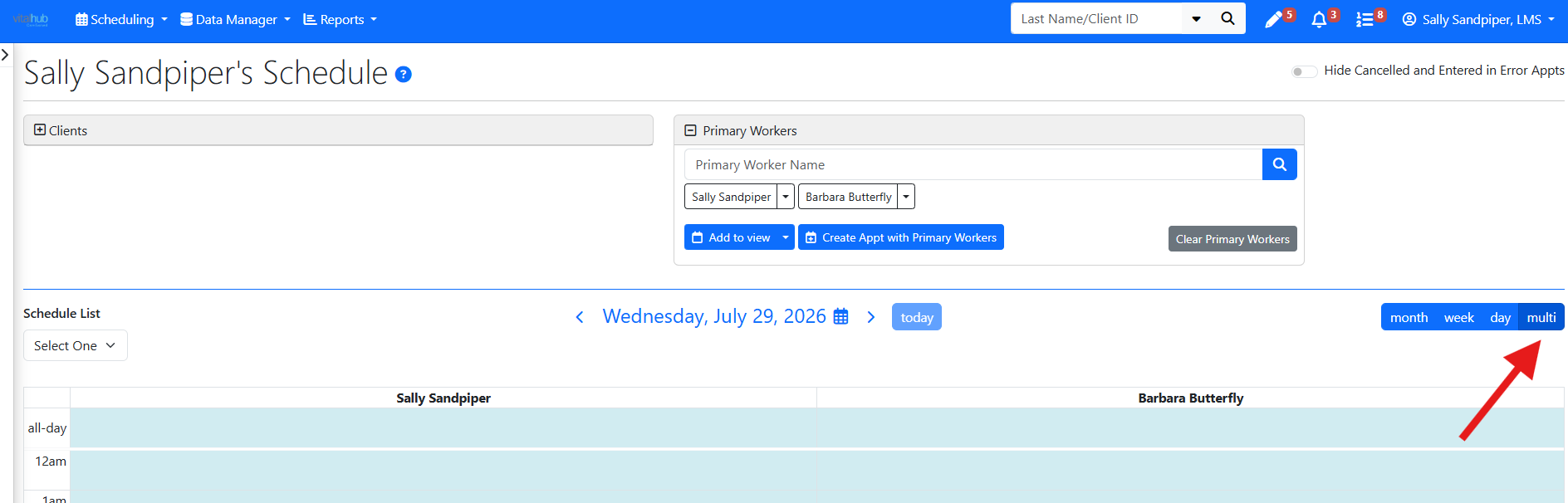
Multi-View allows users to display and manage the calendars of multiple workers at the same time. By selecting additional workers or a predefined Schedule List, users can compare availability, coordinate appointments, and view team schedules from a single calendar screen.
schedule list MANAGER
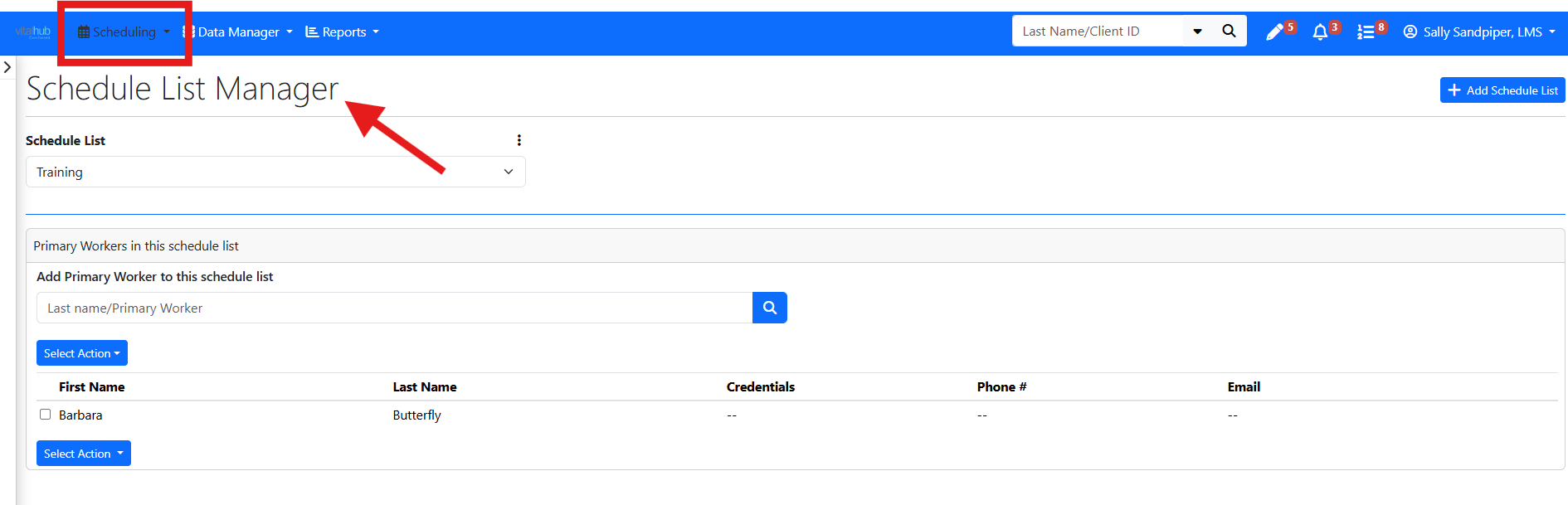
Schedule Lists can be accessed from the Schedule List Manager under the Data Manager dropdown. Schedule Lists allow users to create and save groups of two or more workers for quick access when viewing schedules. Similar to a custom client list, users can create a list, give it a name, and add workers, making it easier to access frequently used team calendars
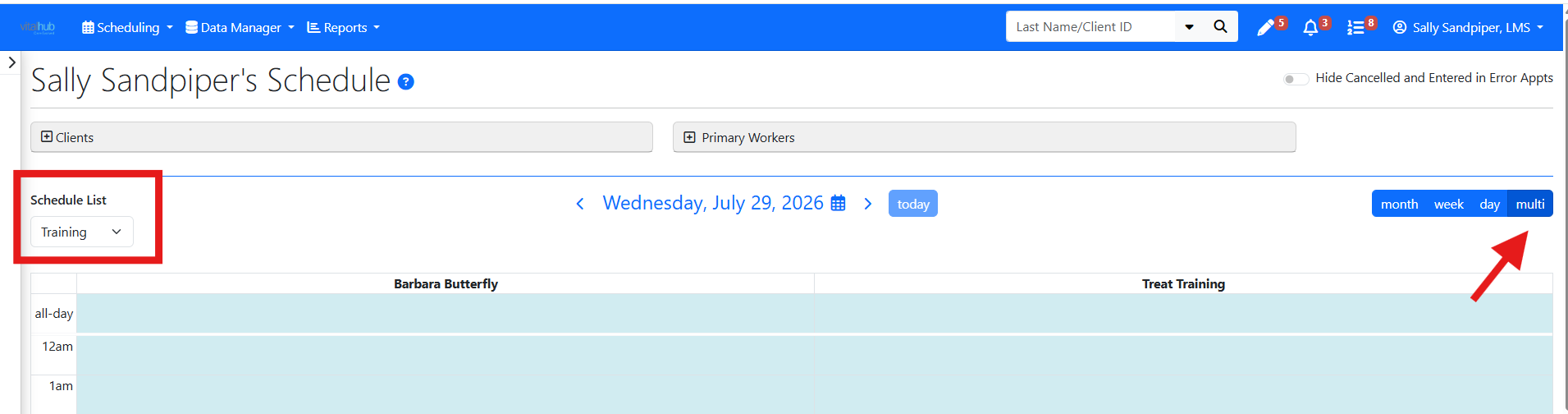
To view the Schedule List from your calendar you must be in multi view and select the list from your dropdown.
Appointment Assignment
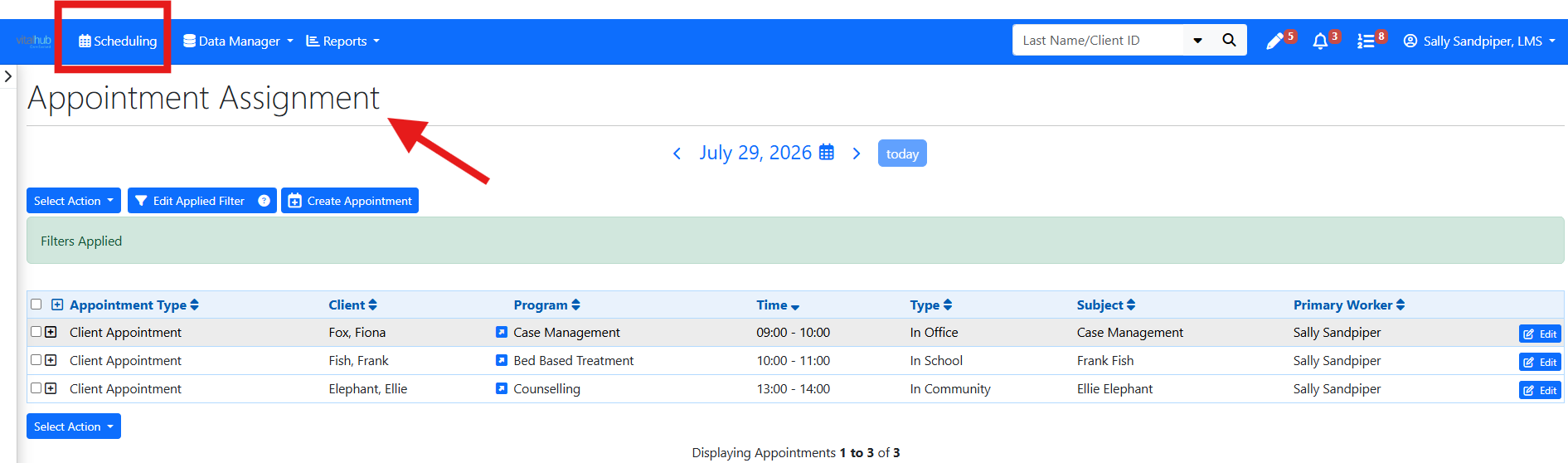
Appointment Assignment supports agenda-style review and bulk edits. Open it from Scheduling, then Appointment Assignment.
What you can do
- See your appointments for a day in agenda view.
- Make bulk edits to multiple appointments, including changing the primary worker, changing the appointment date, and changing or moving start times.
Training Video
Schedule Lists, Multi-View, and Appointment Assignment - User Instructions | Author: Michael Marchese | 2026-07-17
Was this article helpful?
That’s Great!
Thank you for your feedback
Sorry! We couldn't be helpful
Thank you for your feedback
Feedback sent
We appreciate your effort and will try to fix the article