TREAT - Progress Notes
Creating a Progress Note
Overview
Progress notes are used for charting client interactions. A note documents what happened with a client and can connect to appointments, workload, activities, assessments, and other chart content.
Notes can be created directly for a client or from a client appointment, and your organization may have more than one note template.
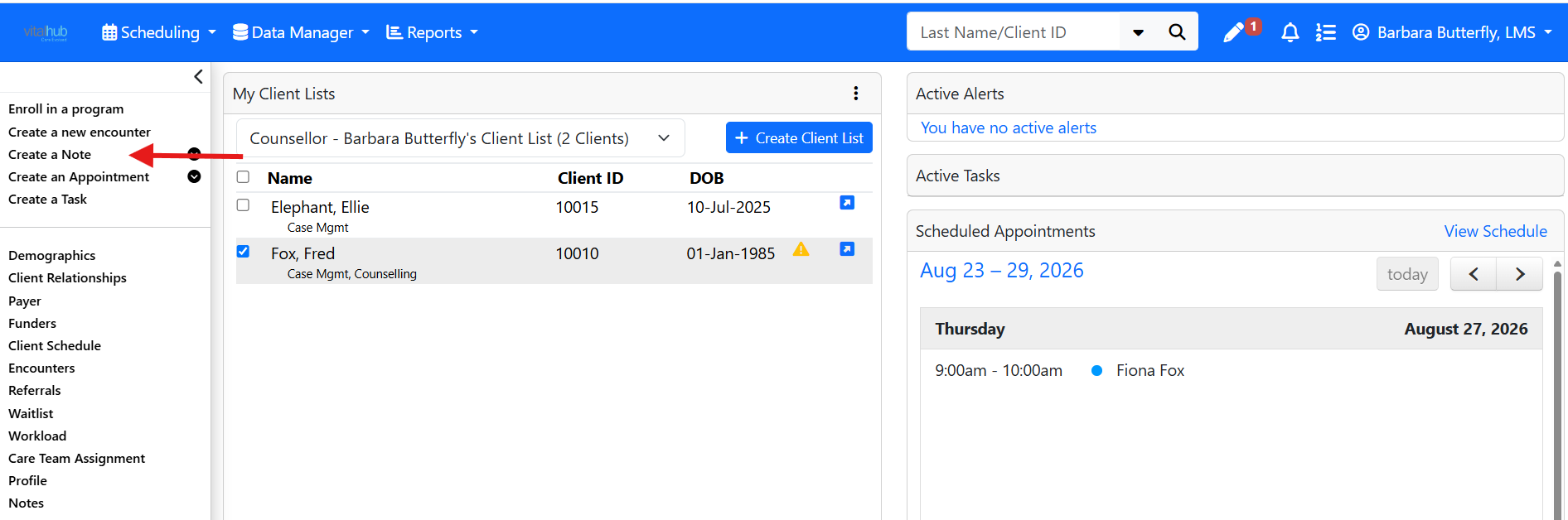
From the Left Navigation Panel
With a client or clients in context, select CREATE A PROGRESS NOTE in the Left Navigation panel, then select the applicable template.
From the Progress Notes Module
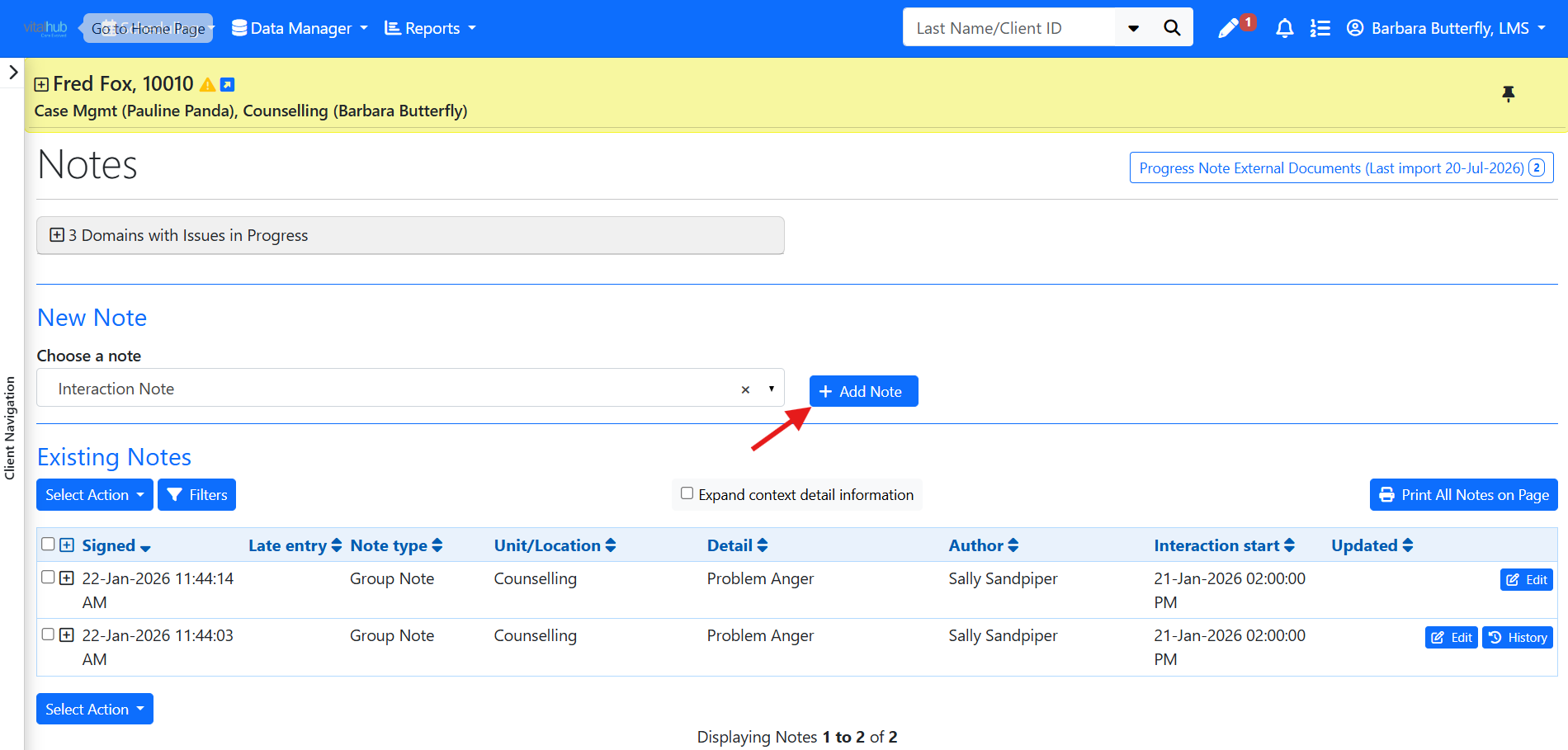
- Open the Progress Notes module from the Left Navigation panel for the client in context.
- Select the applicable note template. The list shows only templates that apply to you.
- Select ADD NOTE to display the template.
From a Scheduled Appointment
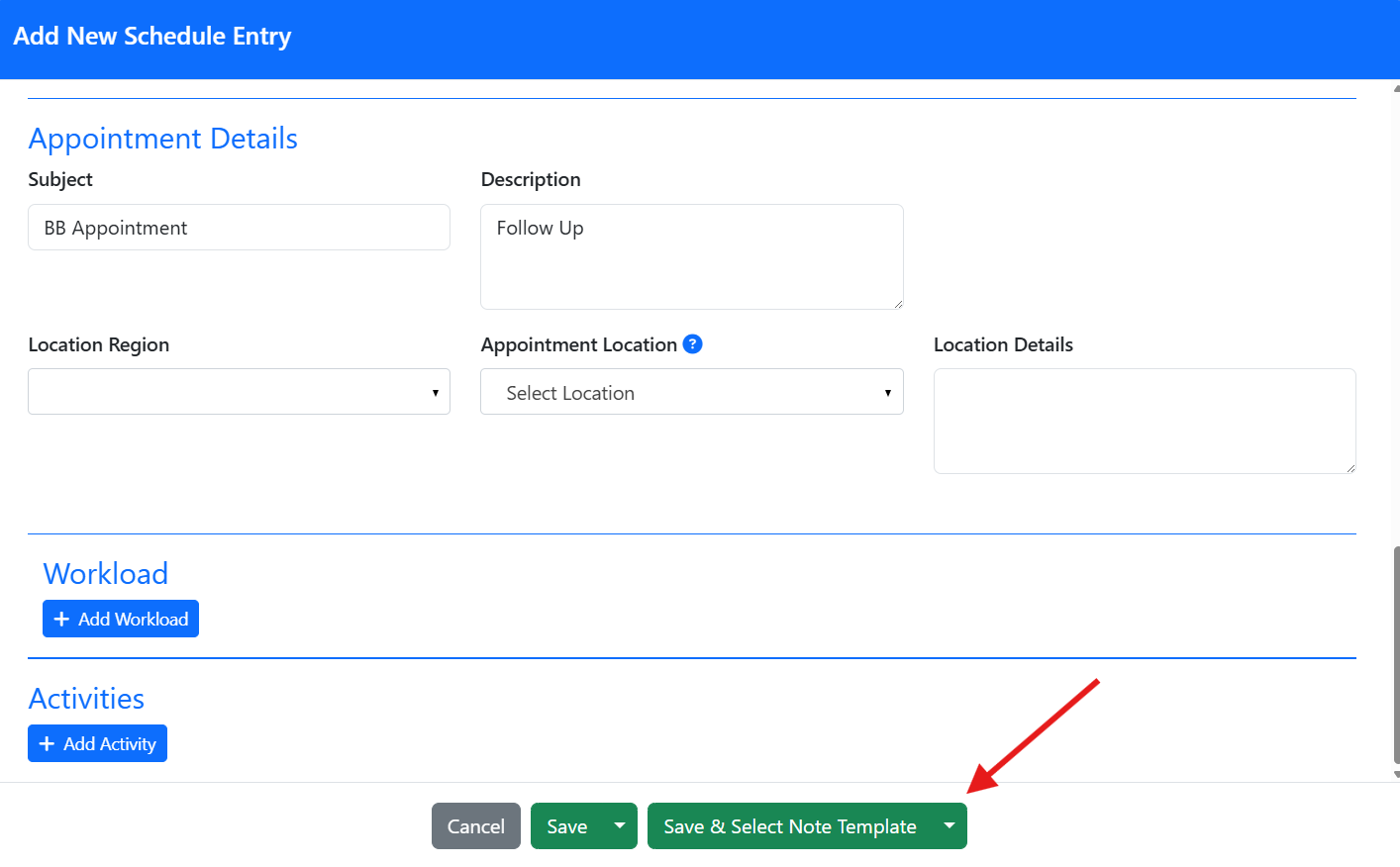
You can also create a note from Scheduling: open the appointment and select SAVE & SELECT NOTE TEMPLATE. When a note is created this way, the interaction date and time are auto-populated from the appointment.
Training Video
Creating a Progress Note - User Instructions | Author: Michael Marchese | 2026-07-17
Was this article helpful?
That’s Great!
Thank you for your feedback
Sorry! We couldn't be helpful
Thank you for your feedback
Feedback sent
We appreciate your effort and will try to fix the article